Quickstart Guide
Last updated: July 14, 2026
This guide takes you from zero to your first launched study in about ten minutes. Follow these five steps and you will have real conversations coming in.

First time here? If no brand exists for your email domain yet, Gather first asks for your business name, website URL, and email domain on the Tell us about your business screen (see Login & Account Setup). Then follow the steps below.
1. Create a project
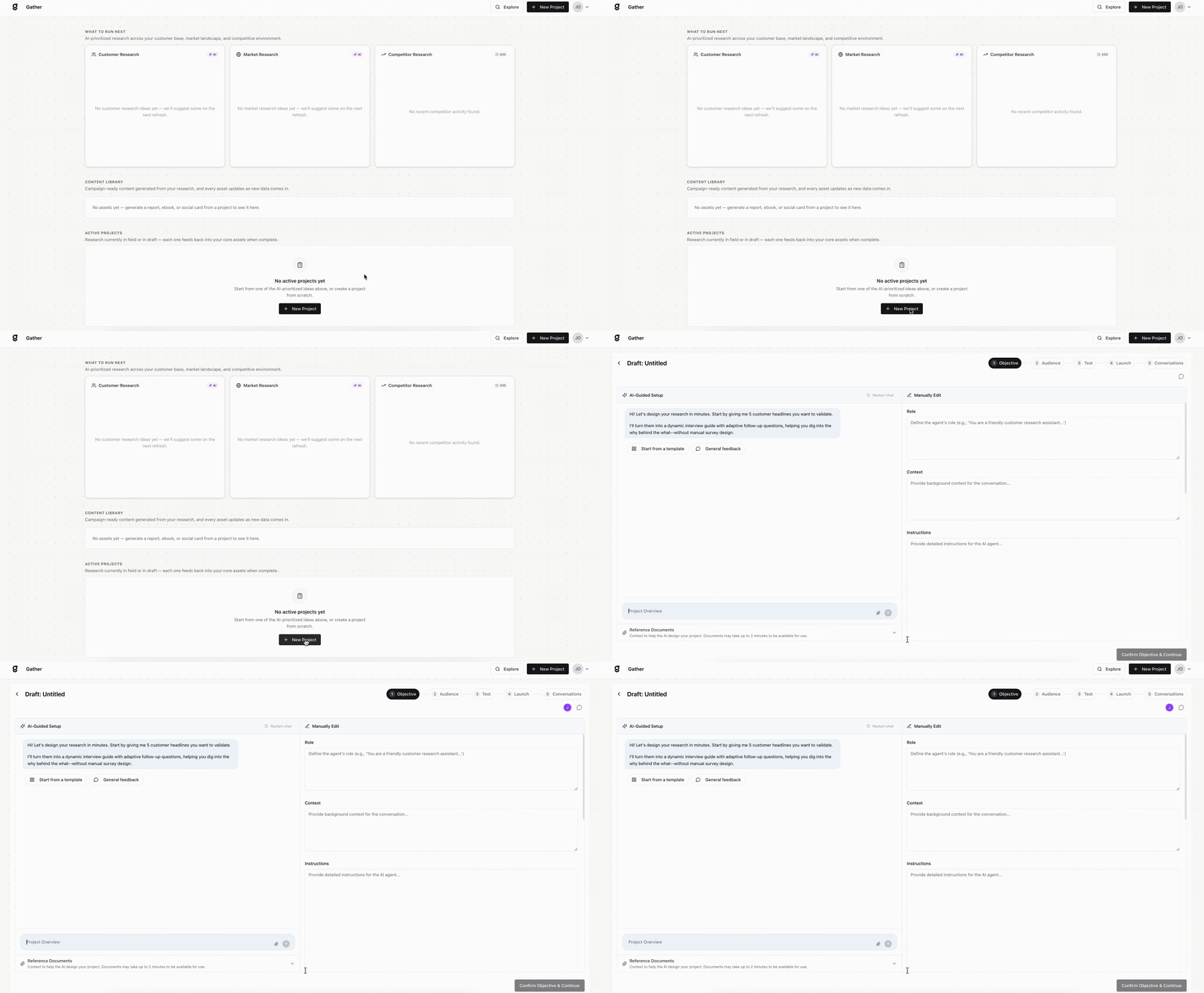
2. Set your objective
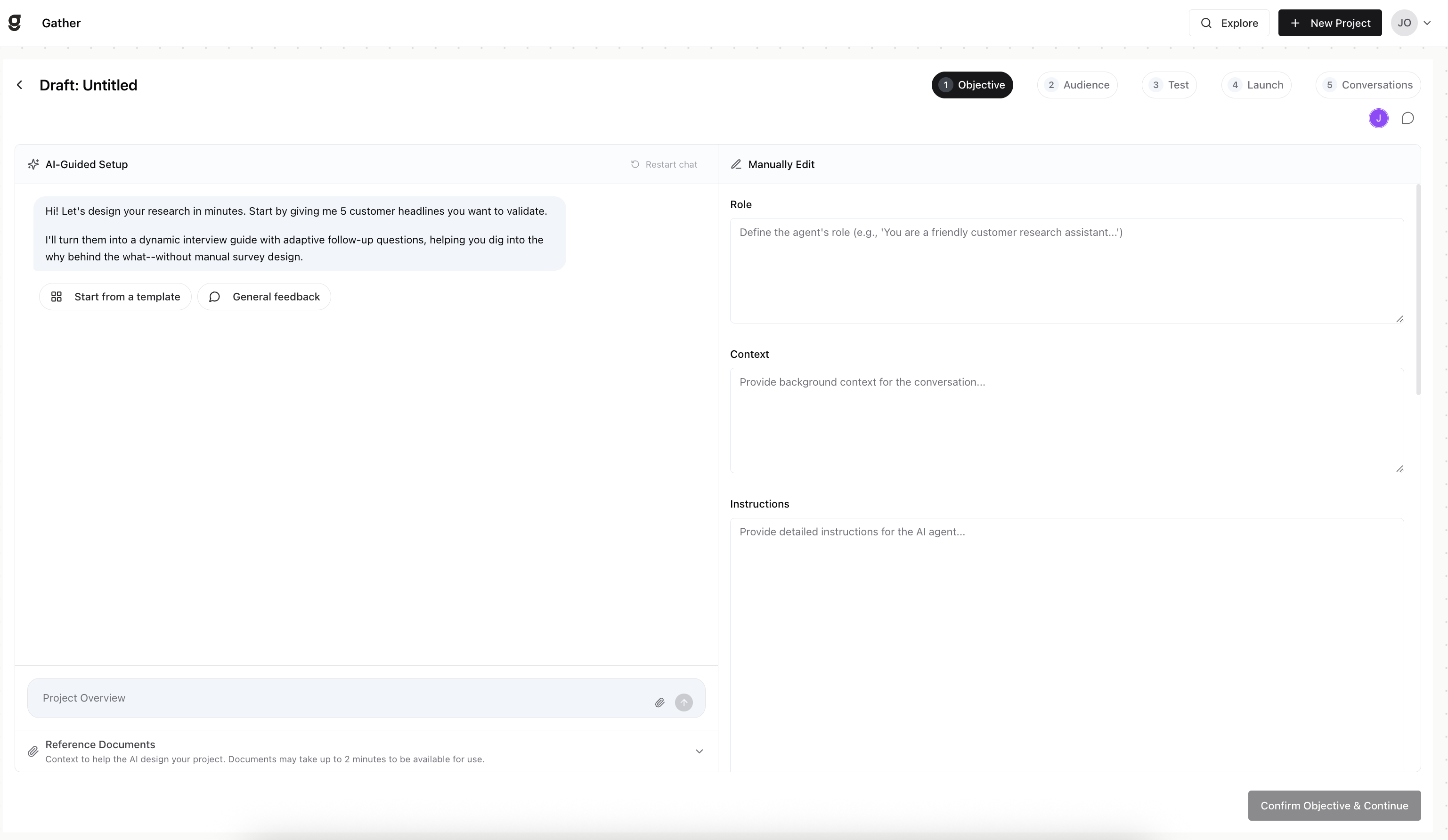
Use the AI-Guided Setup to define what you want to learn. Be specific about:
Your main goal
The questions you want answered
The audience perspective you’re targeting
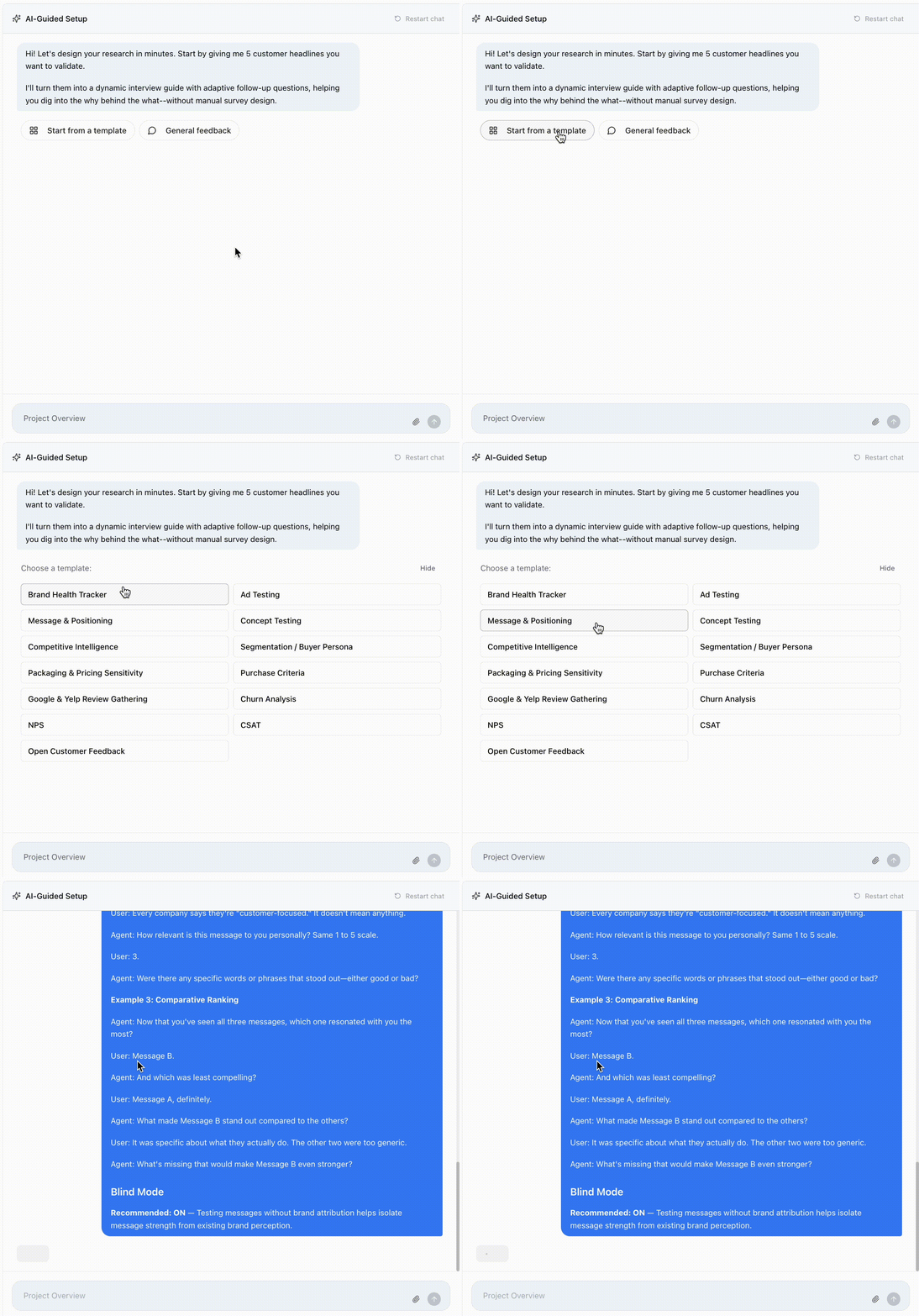
Templates are available to help you get started.
Review everything generated by the AI-Guided Setup. You can:
Modify questions
Adjust the conversation flow
Change tone or phrasing
Refine probes and follow-ups
Upload reference documents for context, then Confirm Objective & Continue.
3. Choose your audience
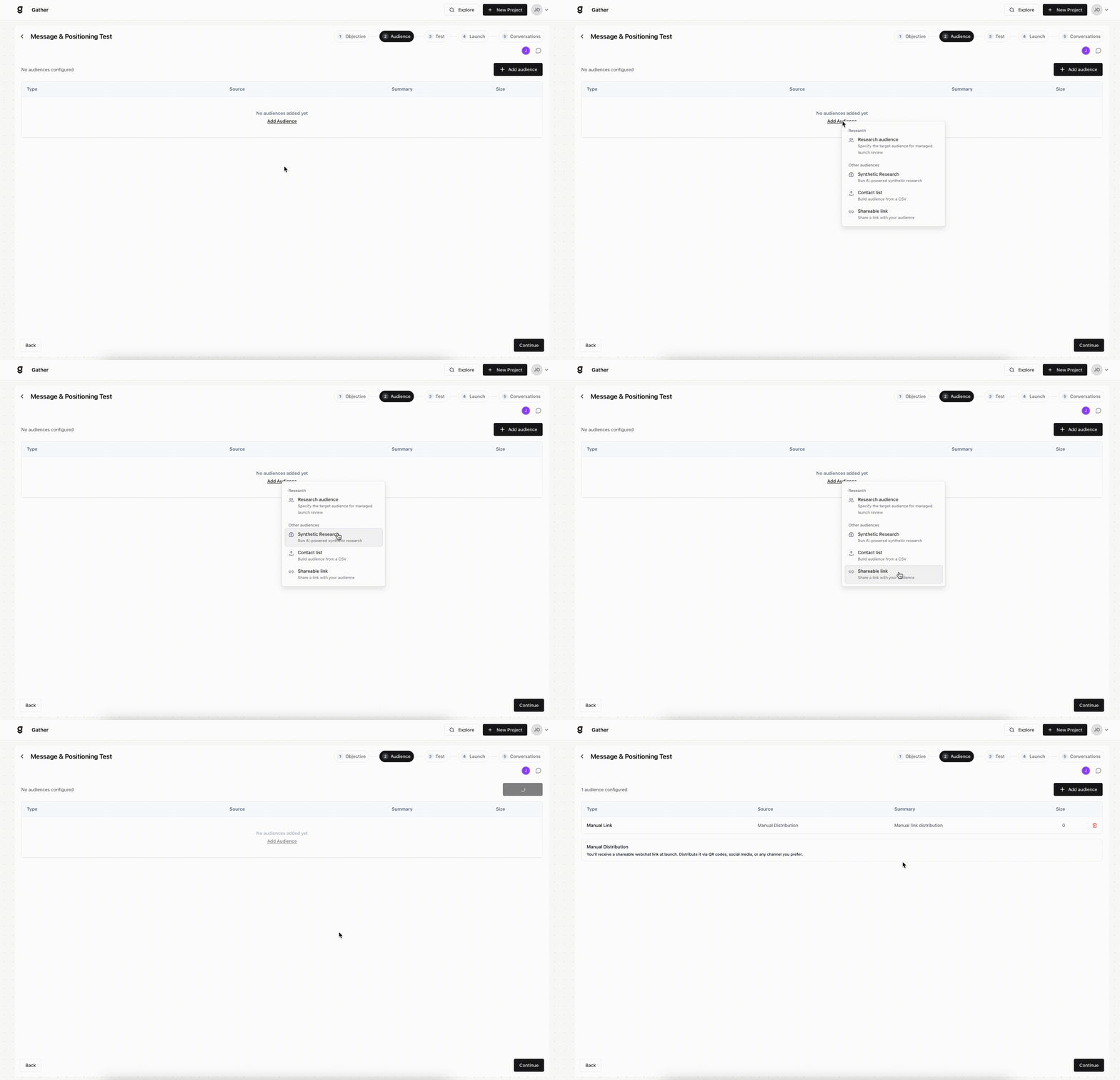
Use a Research audience we source for you, run a Synthetic Research pass, upload a CSV contact list, or generate a shareable link.
4. Brand and test
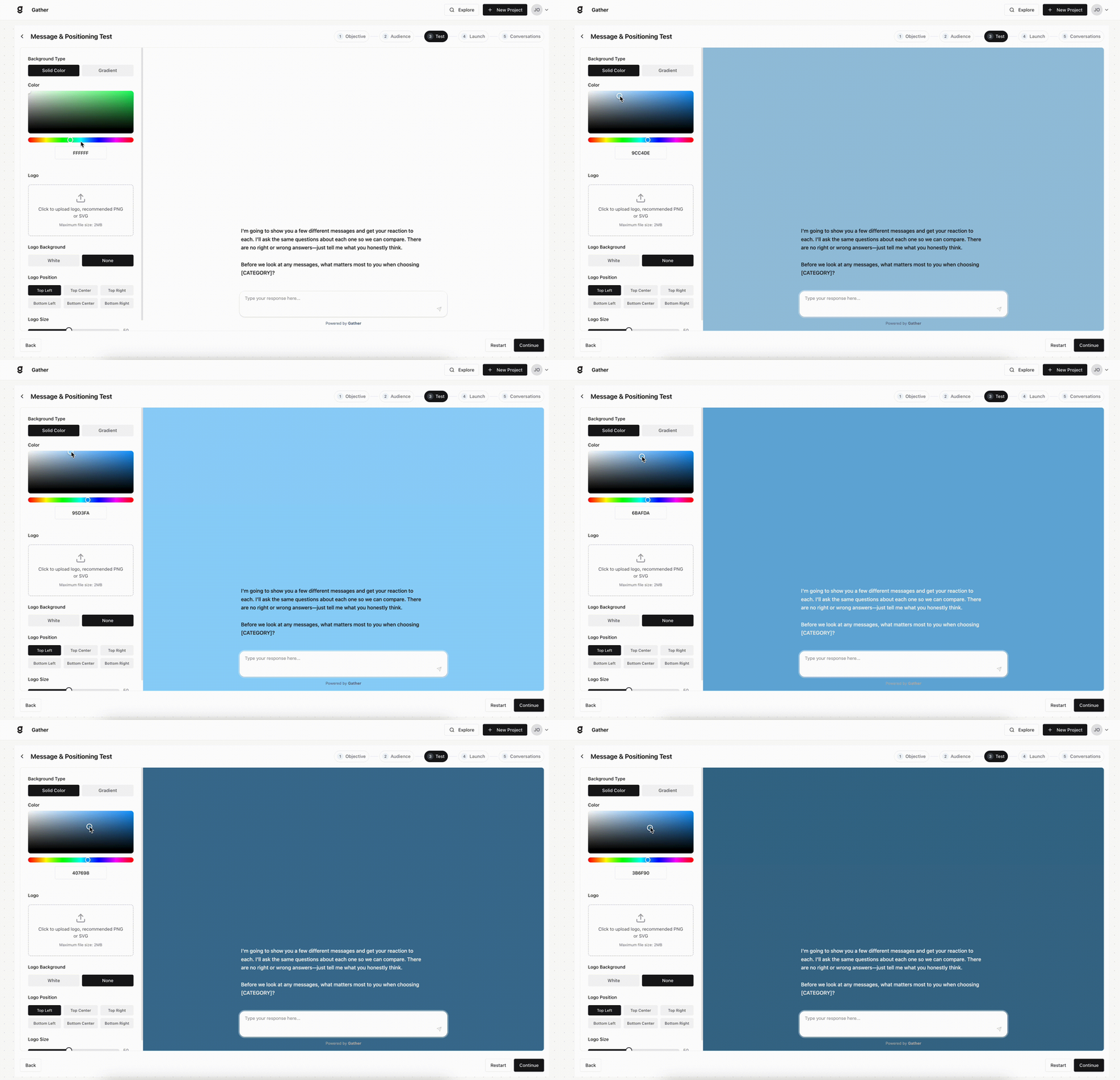
Add your background and logo to brand the experience — or keep it plain to keep the study blind, which is usually best for market research with an outside audience. Then use the live preview to make sure the conversation flows the way you want.
5. Launch
Copy your webchat link, then click Launch Project and watch responses arrive on the Conversations step.
That’s it. Once responses come in, head to Insights and the Content Library to turn them into analysis and campaign-ready assets.