Objective
Last updated: July 14, 2026
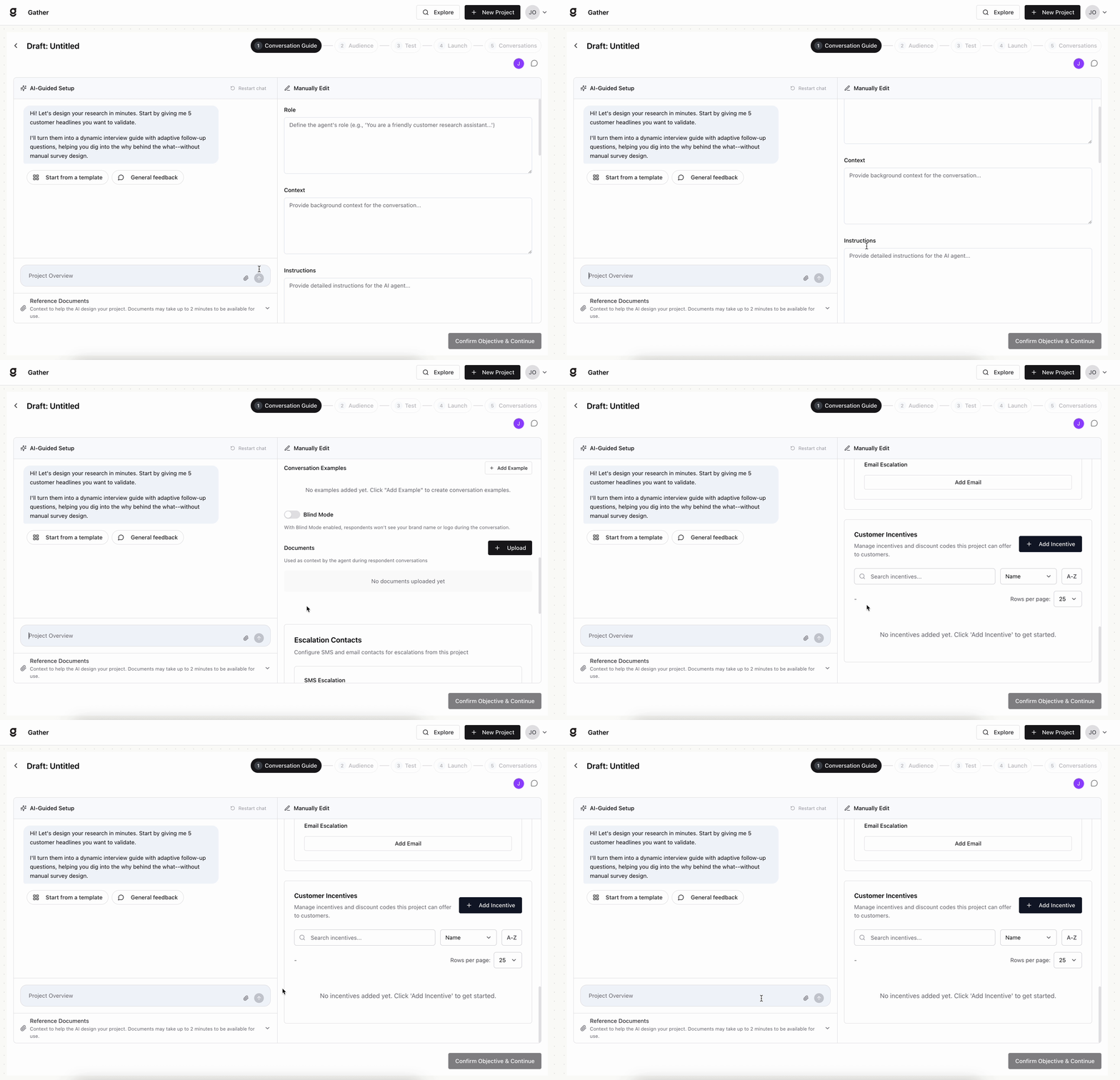
The Objective step is where you tell Gather what you want to learn. It has two panels that work together: an AI-Guided Setup chat on the left, and a Manually Edit panel on the right.
AI-Guided Setup
Start by describing your research goal in the chat. Gather asks you for a few customer headlines you want to validate, then turns them into a dynamic interview guide with adaptive follow-up questions — no manual survey writing required. A few shortcuts to get going faster:
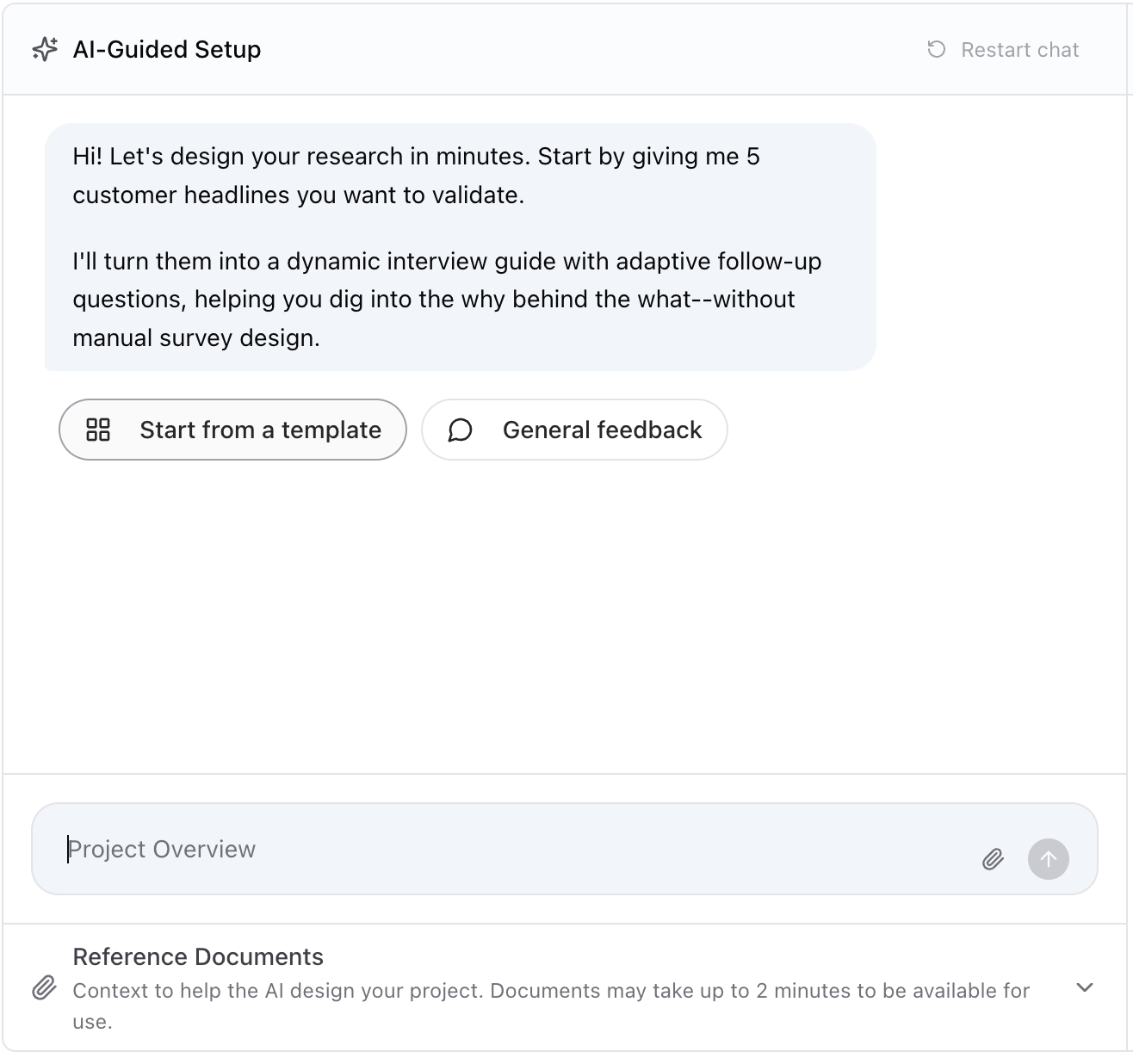
Start from a template to begin with a proven structure.
General feedback spins up an open-ended feedback project.
Add a Project Overview to summarize your goal in a sentence or two.
Upload Reference Documents — product docs, FAQs, brand guidelines — to give the AI context. Documents may take up to 2 minutes to become available.
Refining your project
Use the Manually Edit panel on the right to fine-tune the agent directly — whether you started from the AI-Guided Setup chat or are writing the project from scratch:
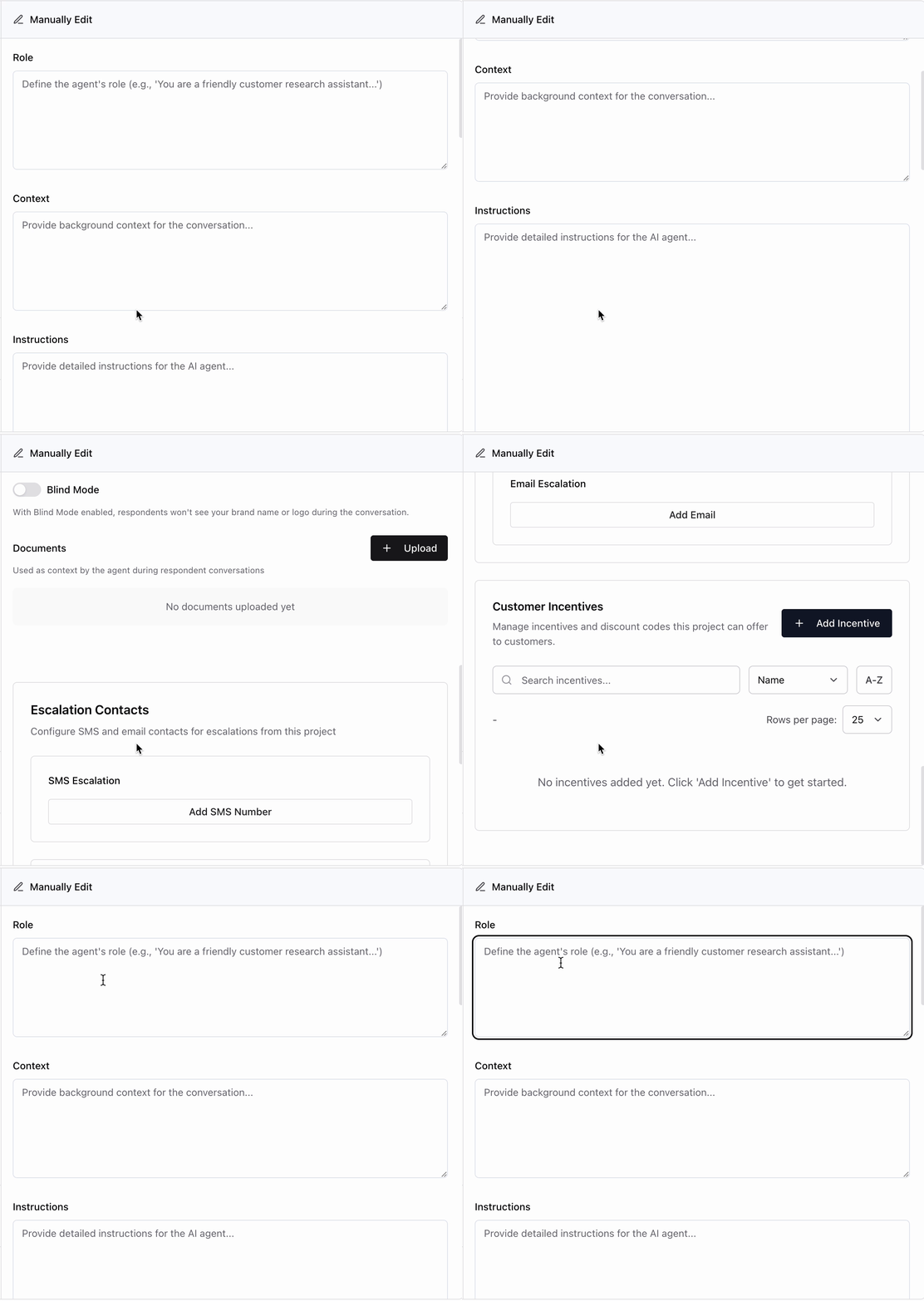
Role, Context, and Instructions — define who the agent is, the background it should know, and exactly what it should say and ask.
Initial Message — the first thing the agent sends when a conversation starts.
Conversation Examples — add sample exchanges to steer the agent's tone and style.
Project settings
A few optional settings let you tailor how this specific project runs:
Blind Mode — when enabled, respondents won't see your brand name or logo during the conversation, so you can collect unbiased feedback.
Documents — upload reference material the agent can draw on as context during respondent conversations.
Escalation Contacts — set SMS and email contacts to be notified when a conversation from this project needs a human.
Customer Incentives — manage incentives and discount codes this project can offer respondents.
When you are happy with the setup, click Confirm Objective & Continue.
The more specific your objective and the richer your reference materials, the sharper your interview will be.