Conversations
Last updated: July 9, 2026
Once your project is live, the Conversations step is your real-time view of everything respondents are saying. At the top you will see your Number of responses and Completed counts.
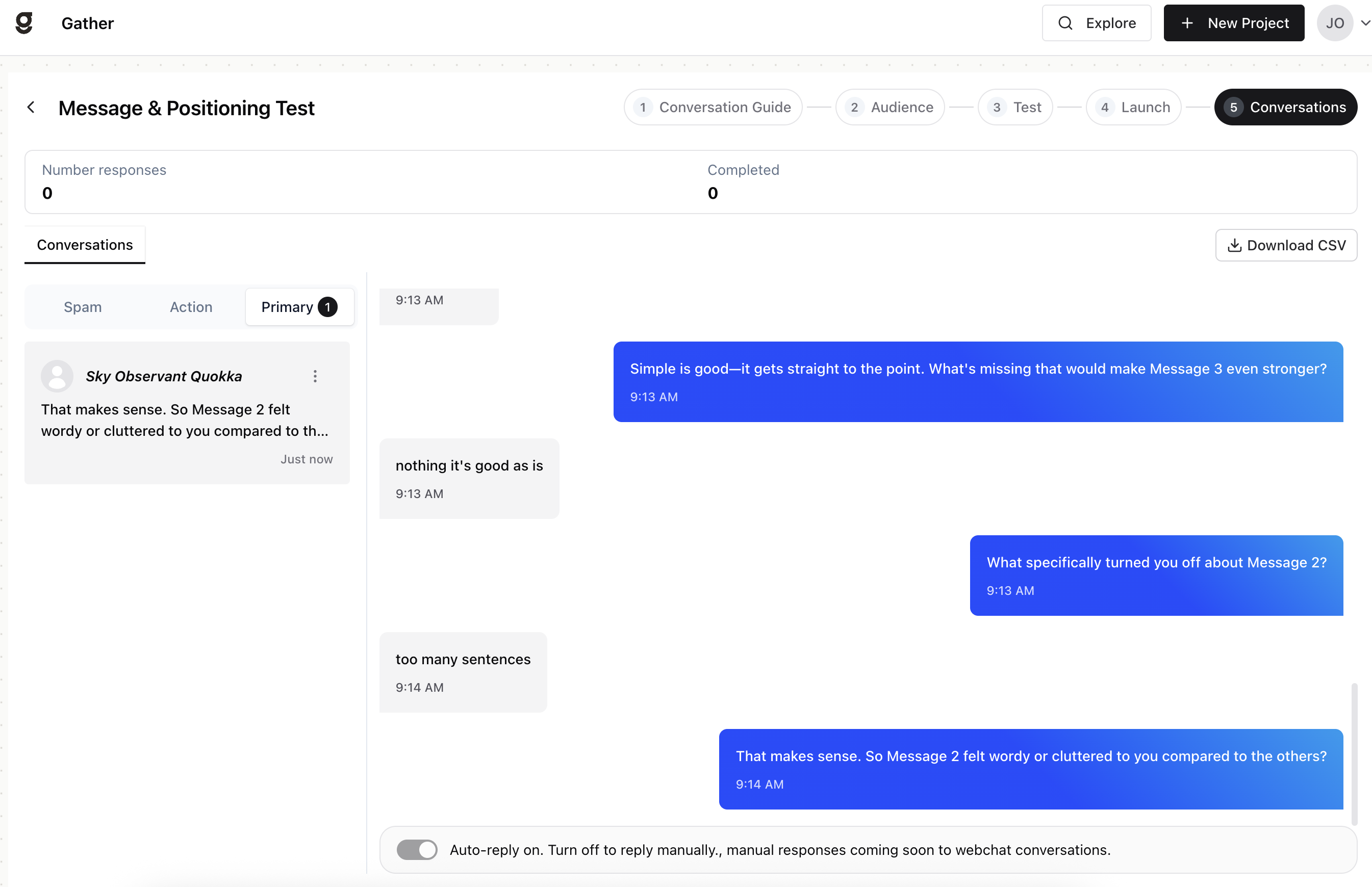
Triage tabs
Gather sorts every response for you so you can spend your time where it matters, on the conversations that need a human instead of reading each one to figure out which is which:
Primary — standard respondent conversations.
Action — conversations that need your attention, such as flagged items or escalations. Check these first so nothing urgent slips by.
Spam — conversations identified as spam or irrelevant, kept out of your results so they don’t skew your findings.
Reading a conversation
Select any conversation to read the full transcript. Each entry shows the respondent’s name (an anonymous identifier if no name is captured), a preview, and the date. Reading the full exchange shows you the reasoning behind an answer, not just the answer itself which is usually where the real insight lives.
Replying and managing
Auto-reply — leave this on to let the AI respond automatically. Turn it off to reply manually (manual responses are coming soon to webchat).
More options on any conversation lets you flag or delete it.
Download CSV to export all responses for analysis elsewhere.